What seems like not so long ago, back in January of 2005, I was experimenting with overclocking my Quicksilver PowerMac G4 in order to achieve better performance with DigiDesign's Pro Tools digital audio recording/editing software, and ID Software's Quake 3 Arena. Long story short, things did not initially go very well, and I quickly realized how difficult overclocking can be. You can read that old blog post below if you are feeling nostalgic. WARNING, my son would describe my writing in that old post as a bit "cringey." Having read that post myself after 14 years have passed, I might have to agree. :)
http://web.archive.org/web/20110929104627/http://homepage.mac.com/chamady/DP133Review/
Fast forward to today, and I am once again smitten with the notion of eeking out every bit of performance from gaming/eSports systems. eSports is exploding across the world, and even K12 schools, colleges, and universities are now participating in this new spectator event. It's no secret that a superior gaming PC can potentially give an eSports competitor an advantage over someone else gaming on a computer with less capability. What can be done to increase the performance of a modern gaming PC short of buying better hardware? Overclocking. If you want to jump right into overclocking without reading about my experiences, feel free to head over to overclockers.com and check out this excellent article on the subject:
https://www.overclockers.com/amd-ryzen-overclocking-guide/amp/
The machine that I experimented with is a CyberPowerPC Gamer Master ET8832. Currently, you can see the full specs on the CyberPowerPC site here: https://www.cyberpowerpc.com/system/READY-TO-SHIP-GAMER-MASTER-ET8832
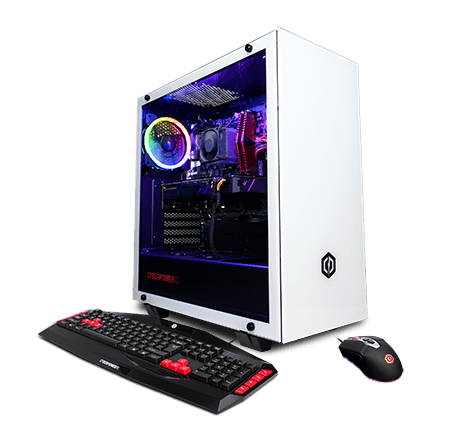
The most important specs that we will be working with are:
Processor- AMD Ryzen 7 2700X 8 core/16 thread
RAM- 16 GB XPG DDR4 at 2666 MHz
Video Card- MSI Ventus GeForce® RTX 2070 8GB GDDR6
Fans- Three case fans, one processor fan, and two fans on the RTX 2070.
There are a number of pieces of software that can assist with this process. They are:
Cinebench
CPU-Z
GPU-Z
Ryzen Master
Let's first start with the processor. In stark contrast to Intel's past attempts to stop overclocking (see: https://gadgets.ndtv.com/laptops/news/intel-officially-kills-overclocking-of-locked-cpus-with-microcode-update-800575 ), AMD makes overclocking EXTREMELY easy. Simply download the Ryzen Master software from https://www.amd.com/en/technologies/ryzen-master and create some overclocking profiles. Here is a good video detailing how to do just that:
https://www.youtube.com/watch?v=Nyj6qa-jtfk
You will want to gradually increase the core clock speed of your processor until you begin to experience issues such as applications, or the entire computer, crashing. Once that happens, you might see if gradually increasing the processor's core voltage can stabilize your overclock. Using Ryzen Master, I was ultimately able to set the Ryzen 7 2700X's all-core clock speed to 4.1 GHz rather than the default 3.7 GHz after settling on a voltage increase to 1.4v. Raising a Ryzen 7 2700X's core voltage any higher than 1.4v can be risky and could potentially reduce the life of your processor. Using these settings, the Cinebench CPU test scored its highest and the system was very stable for gaming and general purpose computing. In the image below, you can see how the Cinebench CPU score gradually improved during eight unique overlock configurations and subsequent Cinebench tests. Note: Cinebench reports the CPU at its default speed, regardless of the actual overclocked frequency.
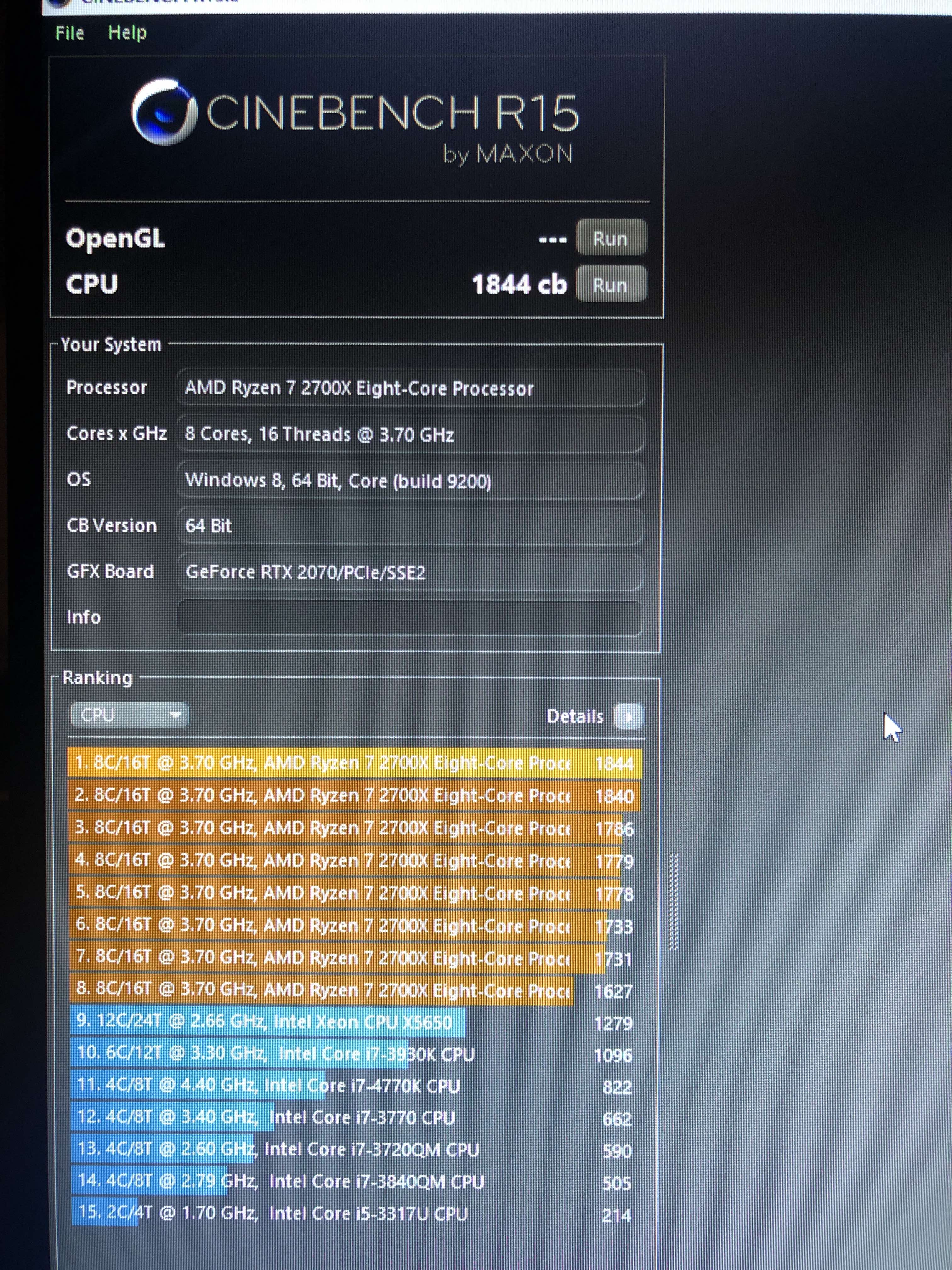
In order to determine stability, once changes were made to the processor core clock and/or core voltage, I ran the computer through both the CPU and OpenGL Cinebench tests. I then gamed on the system playing Fortnite and Apex Legends for at least 30 minutes without a crash.
It should be noted, however, that once a stable overclock profile was determined for the processor, and the overclock was rock solid during: gaming, Cinebench testing, basic computing tasks such as web browsing or watching online videos, doing any extremely hardcore task such as transcoding video using Handbrake maxed out all of the CPU cores at 4.1 GHz simultaneously and continuously. This in turn resulted in extremely high CPU temperatures and ultimately caused a system crash. I believe that I would have to replace the stock CPU cooler with something more specifically designed for overclocking if I wanted to transcode video in Handbrake with a CPU overclock.
Next, I worked on boosting memory (RAM) speeds. Let's say that you want to upgrade your 16 GB of 2666 MHz DDR4 memory with additional RAM, but you can't seem to locate any 2666 MHz RAM to purchase. It is oftentimes possible to purchase faster memory such as 3000 MHz DDR4, install it, and it will step-down in speed, running at a slower clock rate.
That is exactly what I had to do in this experiment. The original 16 GB of RAM was running at 2666 MHz. I installed 16 GB of 3000 MHz RAM into the CyberPower PC to take it to 32 GB and the faster RAM ran flawlessly at 2666 MHz. Next, I overclocked the default RAM settings using the BIOS so that ALL of the memory would run at 3000 MHz. Here is a video that discusses how to overclock RAM (among other things) on a Gigabyte motherboard:
https://www.youtube.com/watch?v=X8z_wTStcf8
and another here:
https://www.youtube.com/watch?v=zoXbHRR7j98
The memory in the CyberPowerPC is now all running at 3000 MHz via an X.M.P configuration, which is one of the simplest ways to enable a memory overclock. You can see the bios setting here:
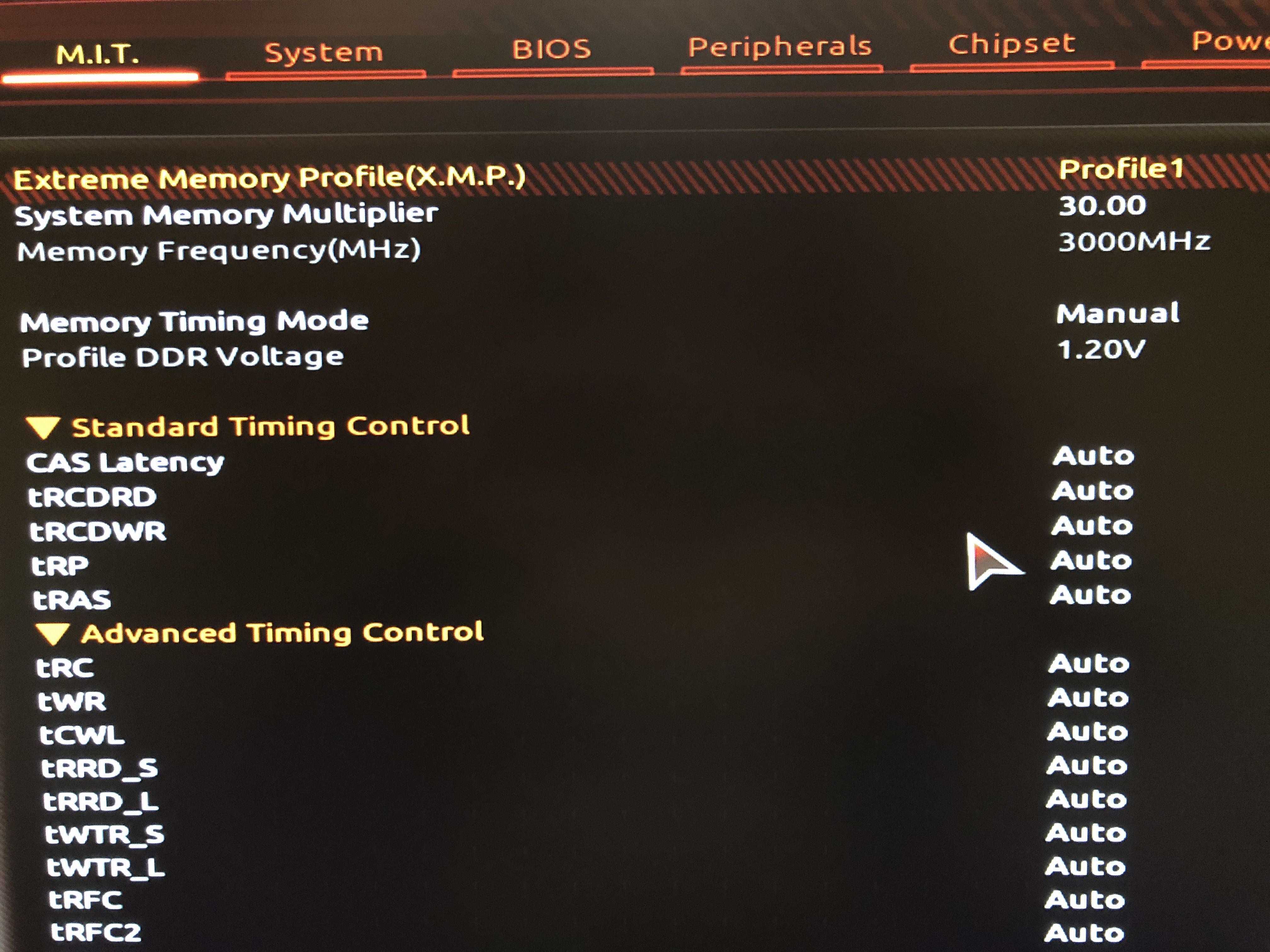
Finally, we can overclock the PC's MSI Ventus RTX 2070 graphics card to get even more frames per second out of it when gaming. In order to do this, I downloaded and installed MSI Afterburner from:
https://www.msi.com/page/afterburner
I changed a few things with MSI Afterburner. I bumped the RTX 2070's core clock from 1410 MHz to 1585 MHz, which moved the boost clock from 1620 MHz to 1795 MHz, and I altered the memory speed from 1750 MHz to 1800 MHz.
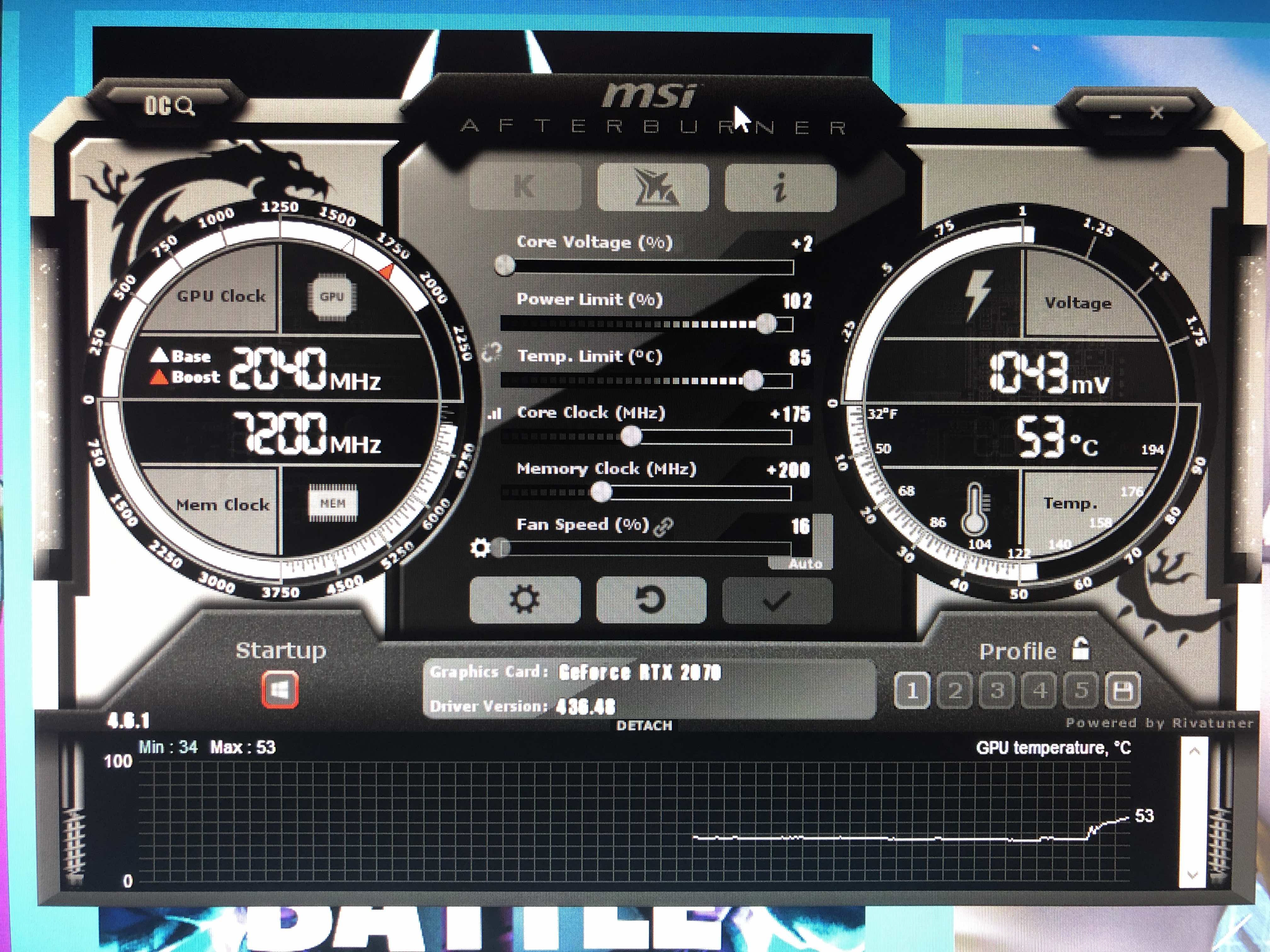
Here is a video that shows how to do that:
https://www.youtube.com/watch?v=vUEMS-B1Siw
GPU-Z shows us all of the numbers for the video card. Compare the Default Clock settings to the current GPU Clock settings:
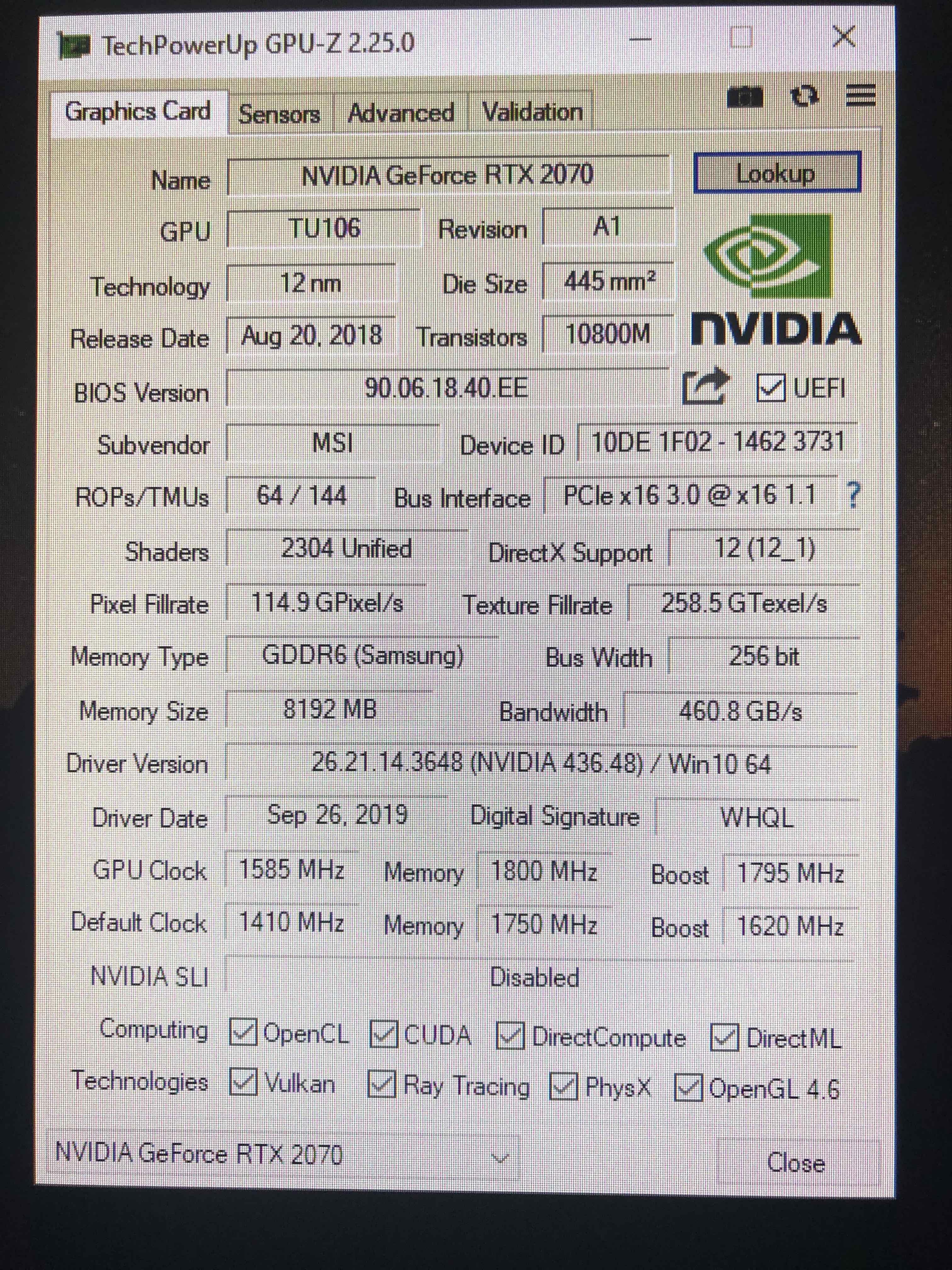
Once that was done, I confirmed in Cinebench that we were now getting better OpenGL scores and I saw higher framerates when playing Fortnite.
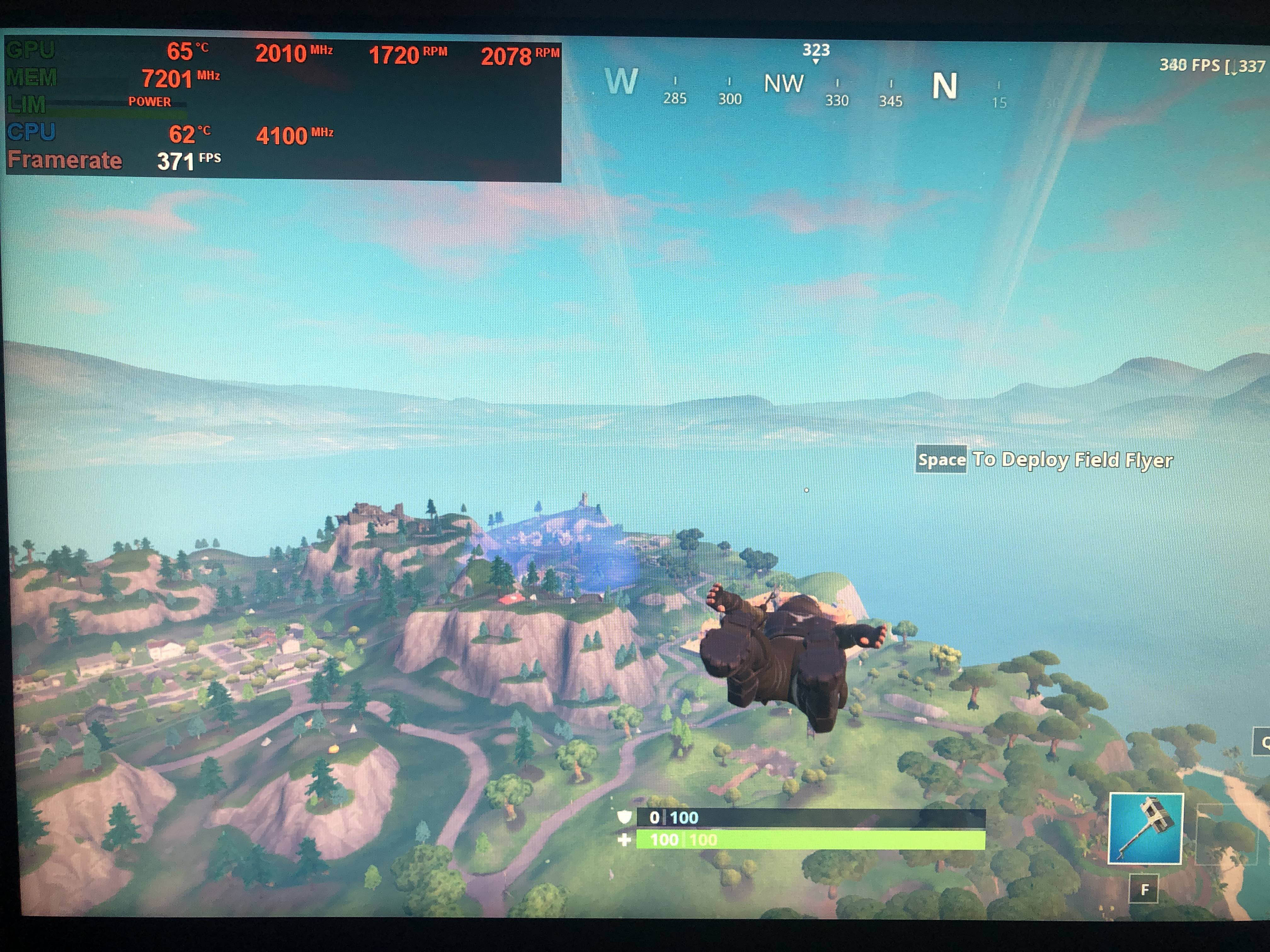
Now we come to the most important discussion. Heat. Once all of the overclocking was done, it should be noted that both the computer processor and the video card were consistently running operating temperatures around 78C, and sometimes peaking into the low 80C range when gaming. If you would like your computer components to have a nice, long, lifespan, this is too hot. I began to investigate the airflow within the CyberPower PC case.
It turns out, all of the case fans in the Gamer Master case were configured to vent hot air OUT from inside of the case, but there were no fans configured to pull cool air INTO the case. What I did to resolve this issue was install an additional 120 mm case fan into the top of the case blowing cool air directly down onto the AMD Ryzen's heatsink/fan assembly, and I reversed the rear top case fan so that it would blow cool air onto the CPU from the rear of the case as well. I also installed an 80 mm case fan at the bottom-rear of the case blowing cool air directly beneath the RTX 2070's cooling fans. This resulted in maybe a 1 or 2 degree change in temps, but nothing substantial.
I now had three fans blowing cool air into the case and two fans venting out of the case, but there continued to be a tremendous amount of heat building up within the computer's enclosure. I looked at the venting on the side panel behind the case's exhaust fans and was surprised to find only thin vents cut out as small slots in the sheet metal. I put my hand up to these slots and was shocked to feel very little air movement whatsoever.
I decided to experiment by removing the side panel of the computer case, completely unobstructing the air flow of the exhaust fans. The temperature of the video card and processor suddenly dropped by over 10C! It appears that while I was successfully bringing cool air into the case, the vents in the side panel, obviously not designed for overclocking, were inhibiting the removal of the warm air. Once the air flow was maximized by removing the side panel and allowing the exhaust fans to freely vent the hot air out, gaming now occurs with both the processor and the video card displaying temperatures in the low to mid 60C range, and very rarely, occasionally reaching 70C. What an incredible result from such a simple solution!
All that it took to accomplish this dramatic reduction in temperature was a redesign of the airflow system within the computer case. Once that was accomplished, the computer performed nothing short of amazing. After the temperature issue was resolved, the PC was used extensively and at length for gaming, simultaneously recording the gameplay in OBS software, and I watched Youtube, Twitch, and Mixer on the computer for hours on end without a single crash.
For those of you interested in power consumption, I inserted a Kill O Watt meter between the computer and a power outlet. During idle, the computer draws around 90 watts. Under load such as gaming or running benchmarks, the computer pulls between 290 watts and 325 watts, with a highest peak so far of 350 watts. These power requirements are actually fairly low, and well within the overhead of the 600 watt power supply installed in the CyberPowerPC.
During one weekend, the PC was used by various members of the family for approximately 21 hours. After the weekend had ended, the Kill O Watt showed a total consumption of 7 kWh. The cost to run this computer during this time would be around 37 cents at .0533/kWh which is what we are currently paying to Toledo Edison.
This entire project has been such an exciting learning experience for me, I can't begin to describe how it has "recharged my batteries" and renewed my love of technology. I am looking forward to seeing eSports continue to grow and eventually be available to all students interested in this new opportunity for college scholarships and careers. Those of you currently "training" for eSports might want to consider investigating overclocking as an inexpensive way to become a little bit more competitive. There are, however, potential negative consequences involved and you could end up with a damaged or non-functioning computer. Experiment at your own risk!
Finally, the only costs involved here were $20.00 to purchase additional case fans, and an additional $60.00 for 16 GB of DDR4 3000 MHz memory.
CH
UPDATE: After further experimentation, the computer plays games with rock-solid results when the RTX 2070's core clock is boosted from 1410 to 1610, and the CPU is overclocked from a 3.7 GHz core to 4.2 GHz. The issues arise when I try to utilize the overclocked processor for anything that is highly multithreaded such as previously mentioned in this blog post. Heat appears to be the main issue. Once the processor goes above 85C, the computer crashes, likely due to the Ryzen thermal protection kicking in. At some point, I would like to try out some more effective CPU heatsink/fans and see if that allows higher overclocking with more stability, and less heat being developed by the CPU.
UPDATE 2: I just finished up installing an Arctic Freezer 34 eSports Duo as my new heatsink/fan combo into my CyberPowerPC.
I don't want to get too dramatic here, but the changes in temperature and performance are pretty incredible. For the first time, running the Ryzen 7 2700X CPU at 4.2 GHz successfully returns a Cinebench R15 CPU score now above 1900 at 1903. Prior to installing the Arctic Freezer 34 Duo, Cinebench would not run at 4.2 GHz or higher without crashing.
After the Arctic cooler was installed, I was actually able to play games and surf the web at a maximum speed of 4.25 GHz. An inconsequential 50 mhz boost does not seem worth it to run the risk of damaging my hardware, so I backed down the speed to 4.2 GHz and that is where it will stay.
The reduction in processor temperatures as a result of the Arctic cooler is extremely significant. Idle temps are now in the 27C to 30C range, and playing Fortnite results in temperatures in the mid-40C to low 50C range! I can run the Ryzen 7 2700X at 4.2 GHz without any issues in all applications with one exception. Nothing I do seems to be able to get Handbrake to run without crashing. I've boosted the core voltage on the processor using Ryzen Master as high as 1.45v. It still crashes. Going with any higher voltage would be unwise, IMHO. If my motherboard had better overclocking controls in the BIOS, I would probably try using the BIOS for overclocking rather than the Ryzen Master software.
I also replaced the original 16 GB of 2666 MHz memory with an additional 16 GB of 3000 MHz memory and overclocked all 32 GB of RAM to 3200 mhz using an XMP profile. Additionally, I finally ran the MSI Afterburner auto-overclock scan. The results gave me the courage to really bump the core clock and memory clock on the RTX 2070 graphics card.
The final overclocks have been running for months without incident. They are:
CPU via Ryzen Master
CPU- Core voltage set to 1.425v
CPU- overclocked to 4.2 GHz all cores
MSI RTX 2070 via MSI Afterburner
Core voltage increased- +100%
Power Limit- 105
Temperature Limit- 88C
RTX 2070 Core clock- 1630 MHz (or +220)
RTX 2070 Memory clock- 1975 MHz (or +900)
RTX 2070 Boost clock- 1840 MHz (determined by core clock setting)
The benchmarks under these overclocks are:
Cinebench R15
OpenGL- 129.46
CPU- 1903
3DMark Time Spy- 9544
Unigine Heaven- 6030
If you have a Ryzen 7 2700X and you plan on experimenting with overclocking, I HIGHLY recommend that you upgrade your fan/heatsink to an Arctic Freezer 34 eSports Duo provided that it is compatible with your motherboard. A note of caution: depending upon the motherboard that you have, this may, or may not be, a somewhat challenging computer upgrade. With respect to my Gigabyte micro-ATX board in my micro-ATX case, this was one of the most difficult upgrades I have ever attempted due to the lack of available space to work in.
Here's a tip that might help should you try to install this upgrade. You'll need to remove the fans from the heatsink prior to installing it on the motherboard. When reinstalling the fans, snap the wire mounting clips on the bottom of the fans first, and then snap the clips at the top. Starting at the top first consistently resulted in the fan mounting clips slipping out of the bottom of the heatsink, which created a bit of a nightmare to re-attach them as I could not see under the heatsink to locate the hole that the clip should be inserted into.
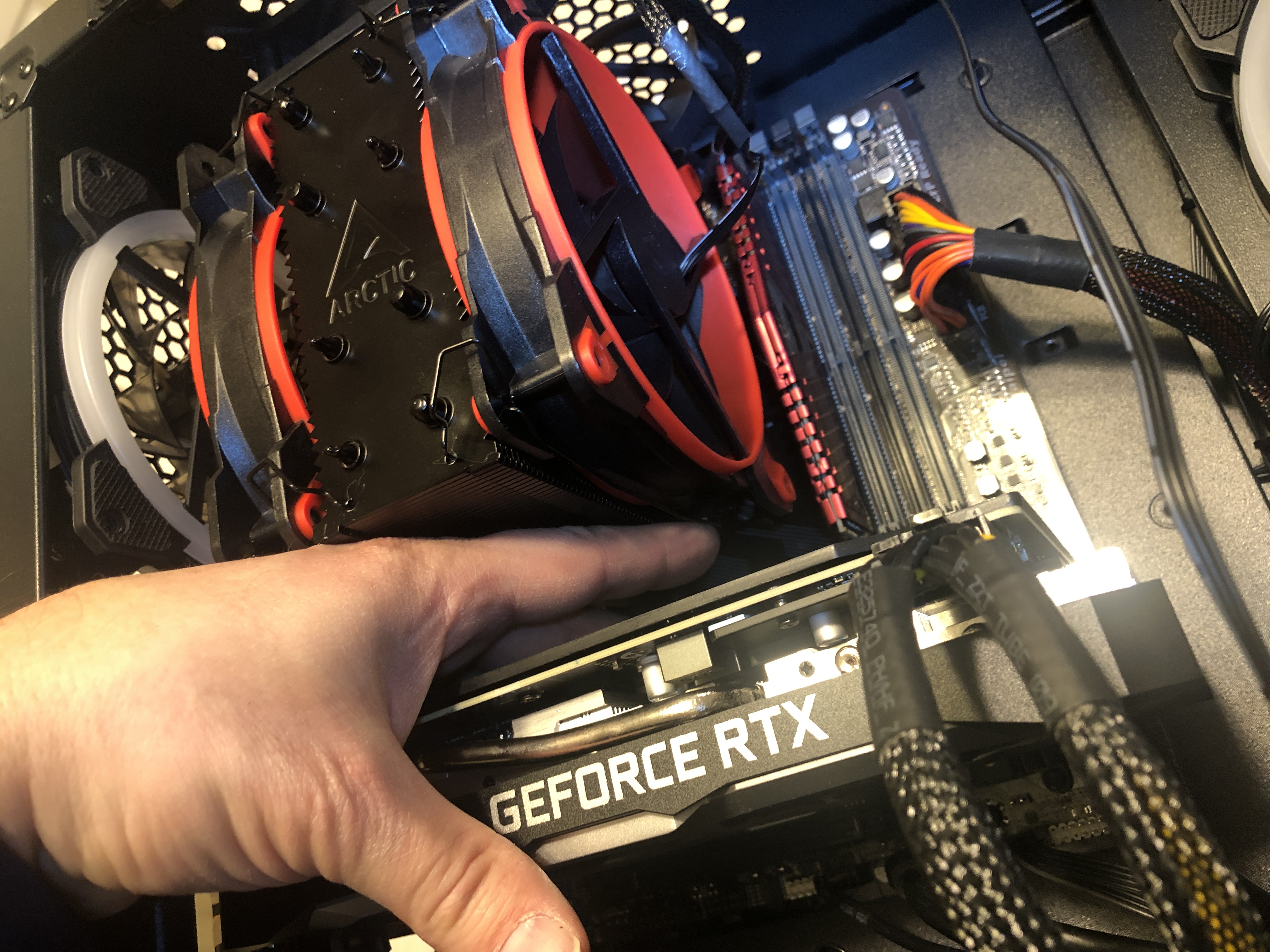
It was well worth the effort, however, as I have been able to significantly reduce the operating temperatures of my overclocked gaming/multimedia PC.
Additional costs:
Arctic Freezer 34 eSports Duo- $40
16 GB of 3000 MHz DDR4 memory- $60.00
Total cost of all upgrades to date: $180.00 (32 gigs RAM, case fans, Arctic Freezer)
UPDATE 3: It appears that many of these Ryzen processors are conducive to overclocking. I had the opportunity to overclock a Ryzen 7 2700 (not a 2700X) yesterday and was able to boost it from a 3.2 GHz base clock to 4 GHz merely by setting the change in Ryzen Master and increasing the voltage to 1.35v. Even with the stock cooler it ran at acceptable temps and was rock solid during many hours of gaming. What's interesting to note is that the percentage increase of the 2700 from a 3.2 GHz base clock to 4 GHz is a greater increase than my 2700X going from 3.7 GHz to 4.2 GHz. The 2700 is also less money than the 2700X, but only by about $20.
]]>